Last updated: 2025-09-19
Policy/Case Setup - Introduction
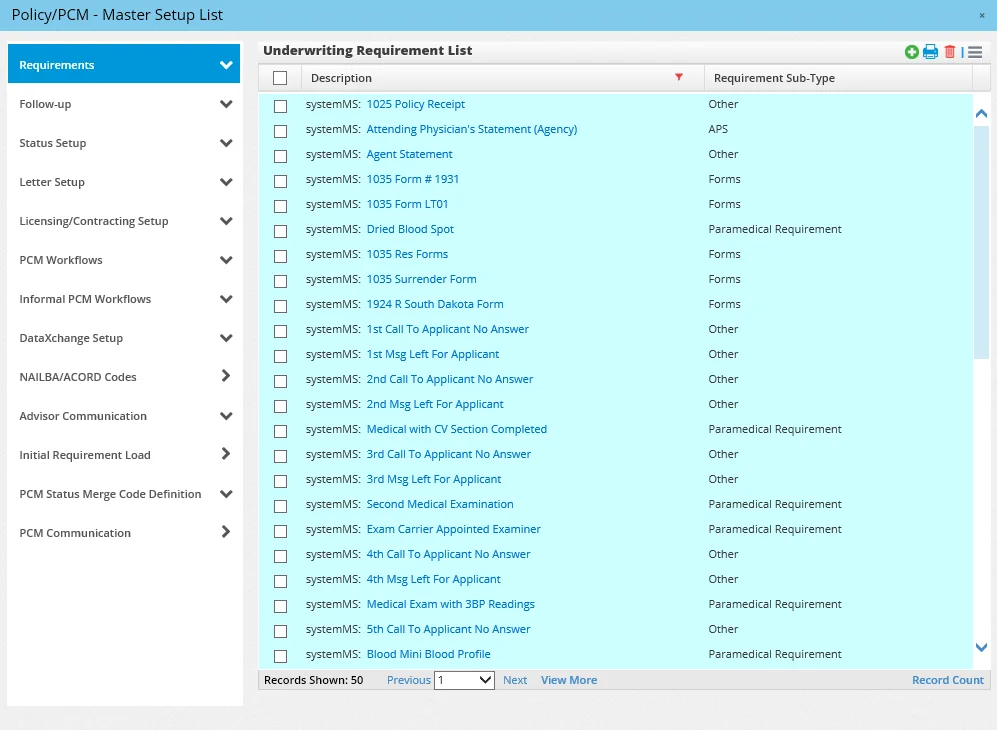
The Policy/Case Setup dialog box (also known as the Master Setup List) is where preferences for statuses, workflows, requirements and other aspects of the SmartCaseManager module are configured.
Note: To learn about other important SmartCaseManager settings, see Pending Cases - User Setup. To access the Master Setup List, select Setup from the side menu and then select Policy/Case Setup from the expanded menu.
Note: Only users with the Pending Case & Policy Setup Administrator user right can access Policy/Case Setup. See User Accounts - User Rights Content Link.
To navigate the various sections of the Master Setup List, use the left menu. Select the name of a section below for more information:
- Requirements
- Follow-Up
- Status Setup
- Letter Setup
- Licensing/Contracting Setup
- PCM Workflows
- Informal PCM Workflows
- DataXchange Setup (see Pending Case Download)
- Advisor Communication
- Initial Requirement Load
- PCM Status Merge Code Definition
- Production Dashboard Setup - LOB Options
- PCM Communication