Last updated: 2025-09-19
Financial Calculator
- Overview
- Accessing the Calculator
- Mortgage/Loan Payment Calculation
- Annual Rate of Return Calculation
- Future Value Calculation
- Present Value Calculation
- Investment Duration Calculation
Overview
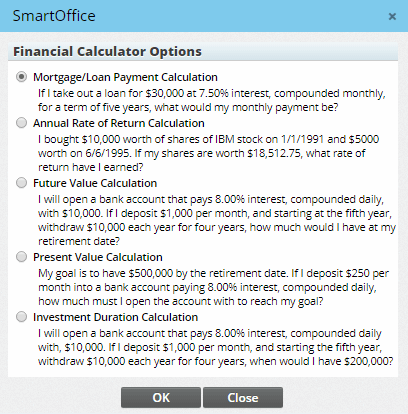
The Financial Calculator utility lets users perform several useful financial calculations within SmartOffice and generate reports based on those calculations.
- Mortgage/loan payments
- Annual rate of return
- Future value
- Present value
- Investment duration
Accessing the Calculator
To open the calculator, select Utilities > Financial Calculator from the side menu.
Note: Enterprise customers who do not see the calculator listed under Utilities may need to update their server's config.xml file to set the value of the \
Mortgage/Loan Payment Calculation
Example: If I take out a loan for $30,000 at 7\.50% interest, compounded monthly, for a term of five years, what would my monthly payment be? To perform this calculation, enter the appropriate information into each field and then click the Calculate button to obtain the calculated amount.
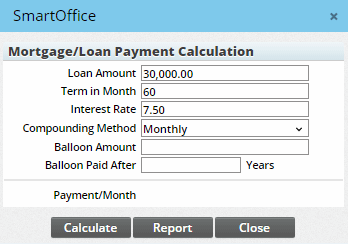
Click the Report button to generate a complete report of the payment schedule.

The report can be configured (see List Layout Customization) and printed.
Annual Rate of Return Calculation
Example: I bought $10,000 worth of shares of IBM stock on 1/1/1991 and $5000 worth on 6/6/1995\. If my shares are worth $18,512\.75, what rate of return have I earned?
To perform this calculation, enter the appropriate information into each field and then click the OK button to obtain the calculated amount.

If additional payments or withdrawals will be performed during the course of the calculation period, make note of those variances in the Additional Payments/Withdrawals section. In this section, transactions can be added, printed and deleted as needed. Click the Add button to open the Deposit/Withdrawal Detail dialog box and enter the appropriate information into each field. Then click the OK button.
Future Value Calculation
Example: I will open a bank account that pays 8\.00% interest, compounded daily, with $10,000\. If I deposit $1,000 per month, how much would I have at my retirement date?
To perform this calculation, enter the appropriate information into each field and then click the Calculate button to obtain the calculated amount.

If additional payments or withdrawals will be performed during the course of the calculation period, make note of those variances in the Additional Payments/Withdrawals section. In this section, transactions can be added, printed and deleted as needed. Click the Add button to open the Deposit/Withdrawal Detail dialog box and enter the appropriate information into each field. Then click the OK button.
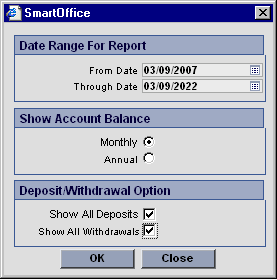
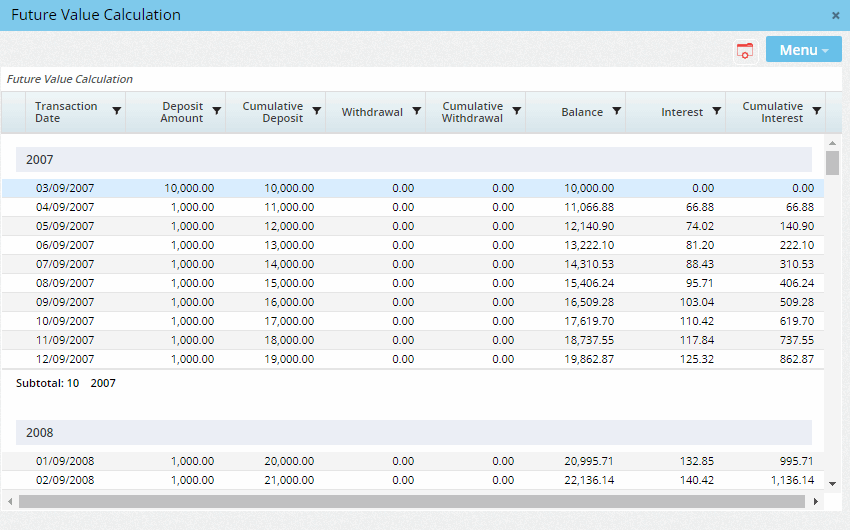
To show a complete report of the given value throughout the scheduled period, click the Report button. From the dialog box that opens, configure the report and then click the OK button to display the final report, which can then be printed.
Present Value Calculation
Example: My goal is to have $500,000 by the retirement date. If I deposit $250 per month into a bank account paying 8\.00% interest, compounded daily, how much must I open the account with to reach my goal?
To perform this calculation, enter the appropriate information into each field and then click the Calculate button to obtain the calculated amount.
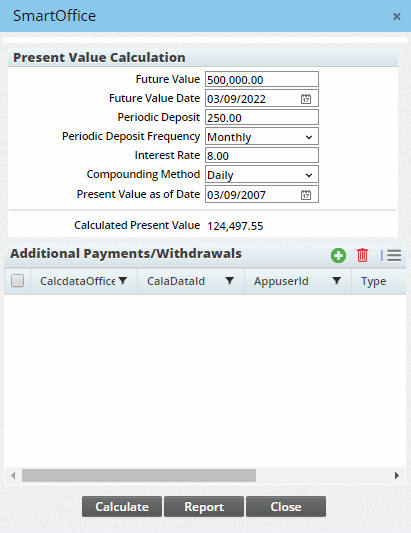
d
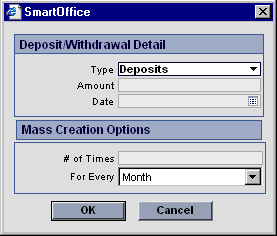
If additional payments or withdrawals will be performed during the course of the calculation period, make note of those variances in the Additional Payments/Withdrawals section. In this section, transactions can be added, printed and deleted as needed. Click the Add button to open the Deposit/Withdrawal Detail dialog box) and enter the appropriate information into each field and click the OK button.
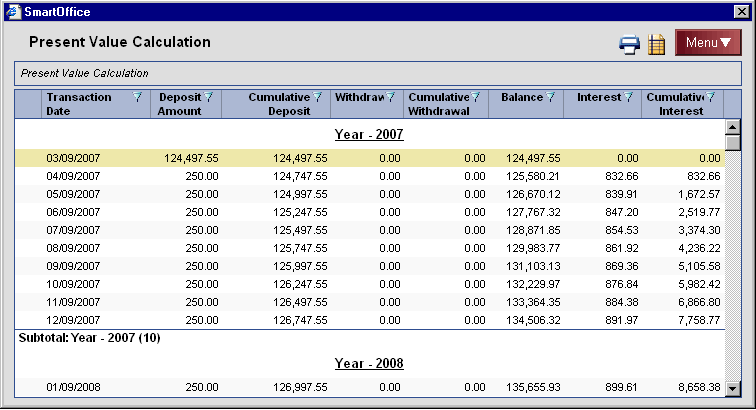
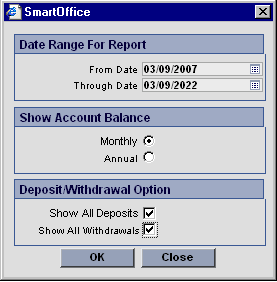
To show a complete report of the given value throughout the scheduled period, click the Report button. From the dialog box that opens), configure the report and then click the OK button to display the final report), which can then be printed.
Investment Duration Calculation
Example: I will open a bank account that pays 8\.00% interest, compounded daily with, $10,000\. If I deposit $1,000 per month, and starting the fifth year, withdraw $10,000 each year for four years, when would I have $200,000?
To perform this calculation, enter the appropriate information into each field and then click the Calculate button to obtain the calculated amount.
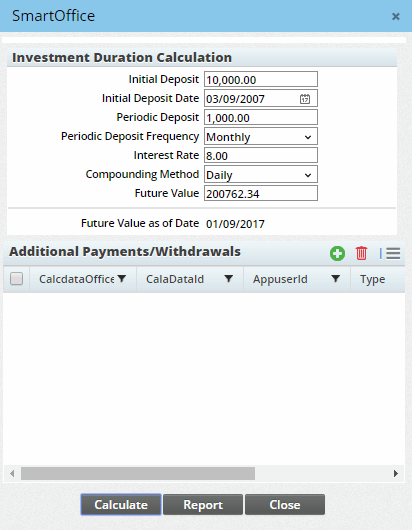
If additional payments or withdrawals will be performed during the course of the calculation period, make note of those variances in the Additional Payments/Withdrawals section. In this section, transactions can be added, printed and deleted as needed. Click the New button to open the Deposit/Withdrawal Detail dialog box) and then enter the appropriate information into each field and click the OK button.
To show a complete report of the given value throughout the scheduled period, click the Report button. From the dialog box that opens), configure the report and then click the OK button to display the final report), which can then be printed.