Last updated: 2025-09-19
Integration User Setup
Integration Users are used to impersonate the end-user when using integrations such as SmartLink for Albridge. You can only create the Integration User in the system office.
- Select Integration User Setup from the expanded Setup menu to display the Integration User List.
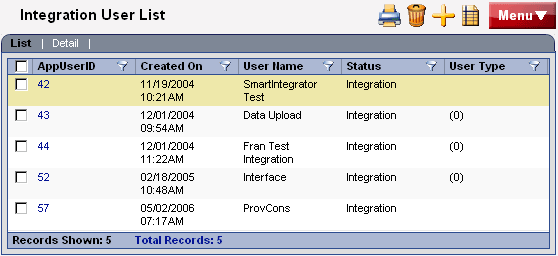
- Select an existing user hyperlink to display the corresponding Detail information; or, click the New button to enter the Integration User Setup information.
- After entering or modifying the information, click the Save button.