Last updated: 2025-09-19
Sets - Using a Set
Overview
Sets in SmartOffice are most commonly used in searches and Dynamic Reports. Note: Before using a filtered or combination set, it is important to validate the set to ensure that its member list is current.
Using Sets in Searches
A set can be applied to the results of a record search. This limits the search results to members of the set instead of all contacts. All modules in SmartOffice that make use of sets provide a Sets hyperlink in their Search dialog boxes. For example, note the Set section near the bottom of the contact/business search dialog box.
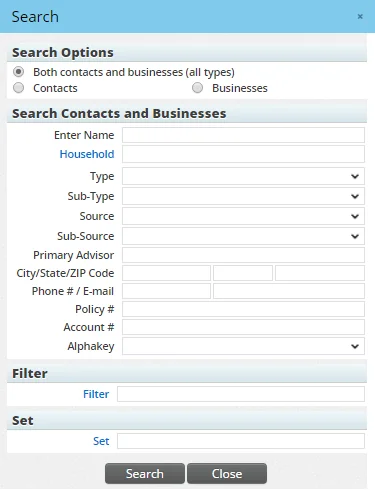
To apply a set from a search dialog box:
- Click the Set hyperlink to open the Set List dialog box.
- Select a set from the list.
- Proceed with the search.
Tip: A quick way to apply a set from a search dialog box is to type the set's name directly into the Set field and then press the Enter key. This method immediately displays the search results.
Using Sets in Dynamic Reports
Sets are used during Dynamic Report setup to define which records display in the report. See Dynamic Reports - Report Setup.