Last updated: 2025-09-19
Intra-Office E-mail
With the Intra-Office E-mail feature, you can send a message to other SmartOffice users in your organization regarding the contact you're viewing.
The message is sent to the e-mail address listed on the User Preferences - Basic Info content link of each selected recipient. In addition, the message is posted to the contact's SmartPad.
- Select a contact, policy or other record from a list, or open the record.
- Select Menu > Communication > Intra-Office E-mail to open the Intra-Office E-mail dialog box.
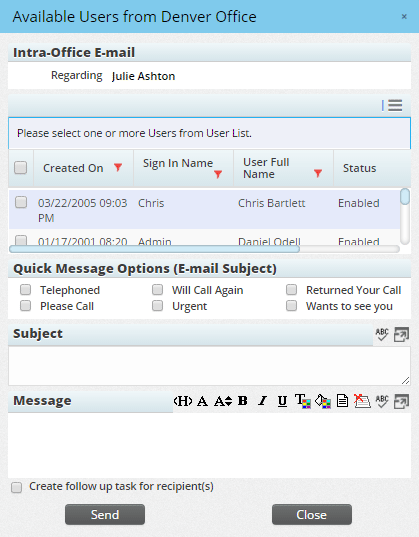
- In the list of SmartOffice users, select each user you want to send the message to.
- Under Quick Message Options, select an appropriate subject, or enter a subject in the Subject field.
- Type the text of the message in the Message box.
- (Optional) To create a follow-up task for each recipient, select the Create follow up task for recipient(s) option.
- Click the Send button.