Last updated: 2025-09-19
Job Agents
If a Job Agent is to be shared by all the offices in the system, then it must be added in the System Office. Due to the processing nature of the Data Validation job agent, it is only available for addition at the System Office level. Unless a Corporate Home Office wants to make available a system level SmartOffice Printer Queue to handle all printing needs for all users, then this agent should be removed from the System Office.
When a user assigned the rights to access the Job Agents menu item selects this option, the Job Agents List displays. Click Utilities and then select Job Agents from the expanded menu to display the Job Agents List.
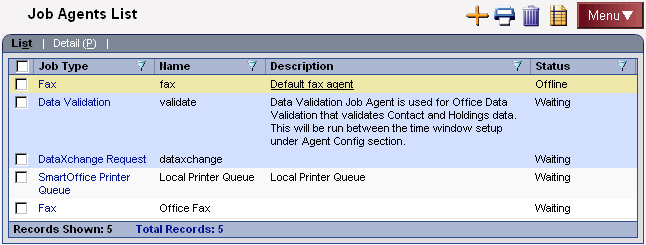
This user has the rights to add, modify, or delete any agents that exist in the local office. The ability to view the parameters of agents created in the System Office is also available to this user. Each of the Job Agents has a different set of requirements for proper setup.
To add information to the Job Queue
- Click the New button to open the Select Job Type dialog box.
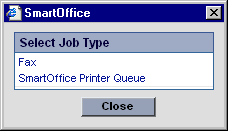
- Select the appropriate job type hyperlink to open the New Job Agent Detail content link.
- Enter the detail information and then click the Save button to save the additions.