Last updated: 2025-09-19
SmartEvents - Reassigning Events
In SmartEvents, the initiator and coordinator specified on an event's Detail content link can be changed using the Reassign Event feature.
- Search for the event if necessary.
- While viewing the event, select Menu > Reassign Event to open the Reassign Event dialog box.
- Select the Change the Event Initiator and/or Change the Event Coordinator options.
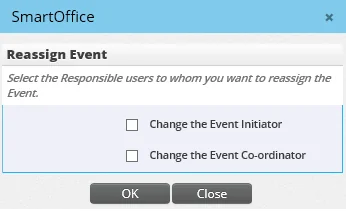
The Initiator and/or Coordinator fields display.
- Click the Initiator and/or Coordinator hyperlink to search for and select the appropriate users, or enter their names directly in the fields.
- Click the OK button.