Last updated: 2025-09-19
Pending Cases - Viewing and Managing Pending Cases
When a pending case search finds multiple matching cases, the Pending Case List displays.
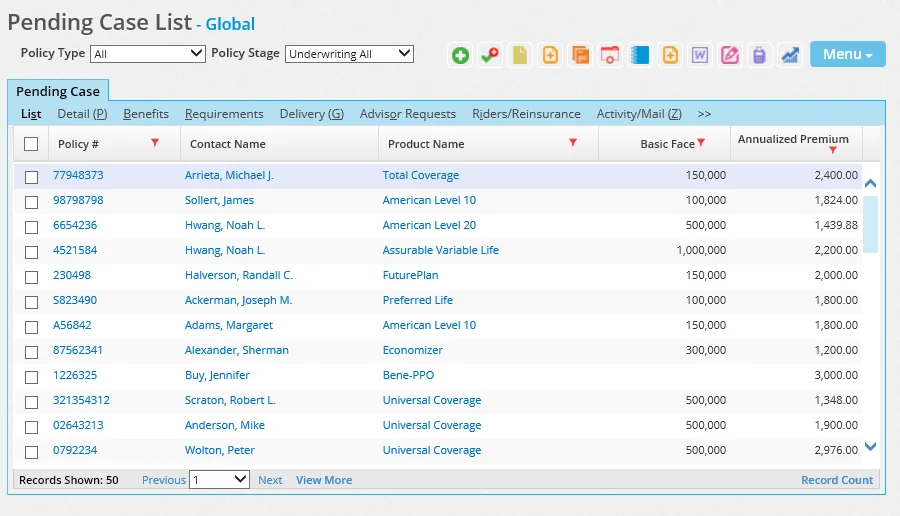
The Policy Type and Policy Stage drop-down lists can be used to narrow down the search results. Pending cases highlighted in red are inactive.
The Pending Case List contains useful columns for tracking the progress of pending cases. The following list describes several of the most notable columns. To learn about a column not listed, refer to the sections about pending case content links for information about the corresponding field in pending case records. Any column that is not visible can be added to the list by a user with list layout customization rights)
- As of Date: The most recent date on which any information in the pending case was changed. The value is updated at run time. This column is not to be confused with any of the available Modified On columns, which display modification dates for values in specific tables. This column is also not to be confused with the Status Date column, which displays the last date the case's status was changed.
- Await Approval Days: If a case has an Await Approval or earlier status (e.g., an Underwriting status), this column shows how many days the case has been in that status. If a case has been moved to an Approved status, the column shows the number of days that the case was in the Await Approval or earlier status before the change occurred.
- Case Modified On: Similar to the As of Date column, this column displays the most recent date on which any information in the pending case was changed. The difference is that this value is kept up to date by the system. This is a key field for users who want to track older pending cases that have not been touched in a while.
- Closed Declined: The date on which an informal case was closed or declined.
- Closed Formalized: The date on which an informal case was closed because a quote was formalized.
- Days in Approval: If a case is in the Approved stage, this column shows how many days the case has been in that stage. If a case has been moved to the Issued stage, this column shows the number of days the case was in the Approved stage before the change occurred.
- Days to Active: The number of days it took for the case to move from the Underwriting stage to the Inforce stage.
- Days to Approval: This is the number of days it took for a case's status to change from the Underwriting stage to the Approved stage.
- Days Since Last Status: This is the number of days that have elapsed since the case's status was changed.
- Days in Issued Status: If a case has an Issued status, this column shows how many days the case has been in that status. If a case has been moved to an Active status, this column shows the number of days the case was in the Issued status before the change occurred.
- Days in Underwriting: If a case has an Underwriting status, this column shows the number of days the case has been in that status. If a case has moved to a status in a later stage (i.e., Await Approval, Approved, Issued or Active), this column shows the number of days the case was in the Underwriting status before the change occurred.
- Declined: This is the most recent date on which a policy was changed to a Declined status. The column displays the most recent Declined status date from the policy's status history.
- Paid: The date of the most recent Paid-status entry in the policy's status history.
To view a quick summary of information about a case without leaving the Pending Case List:
- Tag a case in the Pending Case List.
- From the Menu button, select Quick Summary to display the case summary.
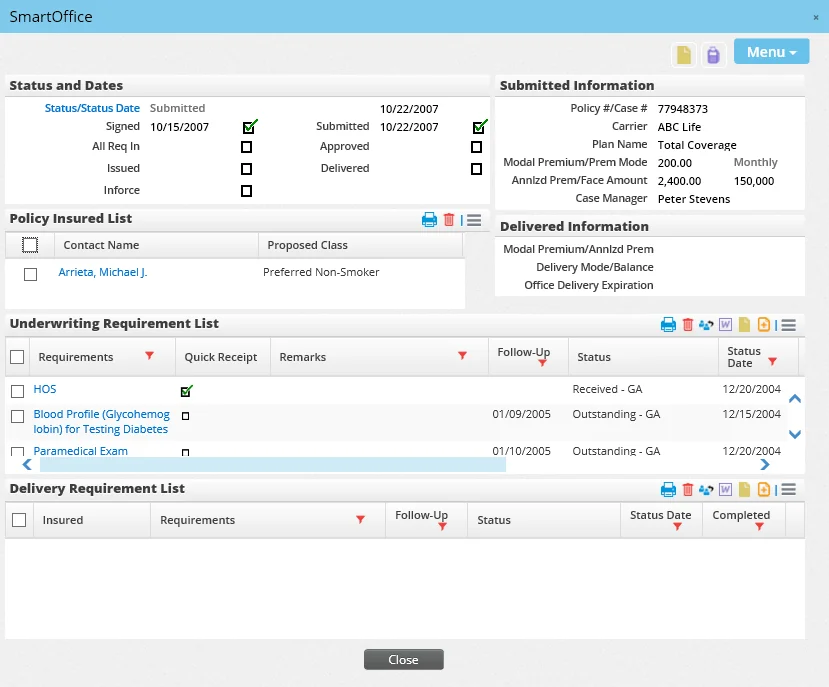
To view full information about a case, click the case's first column hyperlink in the Pending Case List, or tag the case and click one of the content links across the top of the list (e.g., Detail).
Select a link below to learn about the pending case content links:
- Detail Content Link
- Benefits and Coverage Content Links
- Informal Application Content Link
- Formal Application Content Link
- Related Policies Content Link
- Requirements Content Link
- Delivery Content Link
- Home Office Status Content Link
- Advisor Requests Content Link
- Riders/Reinsurance Content Link
- Activity/Mail Content Link
- Subaccounts Content Link
- Letters/Documents Content Link
- Policy Transactions Content Link
- PCM Custom Content Link
- Life/DI/Annuity/LTC/Medical/Other Custom Content Link
- Presale Activity/Proposals Content Link
- Additional Info Content Link