Last updated: 2025-09-19
Integrations - Microsoft Exchange
Overview
SmartOffice's integration with Microsoft Exchange enables users to sync contact and calendar data between SmartOffice and Exchange. The integration can also automatically post e-mail messages sent through Microsoft Exchange to the SmartPad in SmartOffice.
Using these capabilities, users can access up-to-date contact and calendar data on any device, whether through SmartOffice or any Exchange-compatible e-mail or calendar app, such as Microsoft Outlook, Gmail, and Apple Mail.
Note: Older SmartOffice contact and calendar sync methods, such as SmartOffice Sync for Outlook, have been discontinued and are no longer supported
Available Solutions
SmartOffice offers two different Exchange integrations: Exchange Sync and SmartOffice Sync for Microsoft Exchange.
Exchange Sync

Exchange Sync is for SmartOffice customers who are billed directly in these markets:
- United States
- Canada
To get started:
- Go to the Exchange Sync portal.
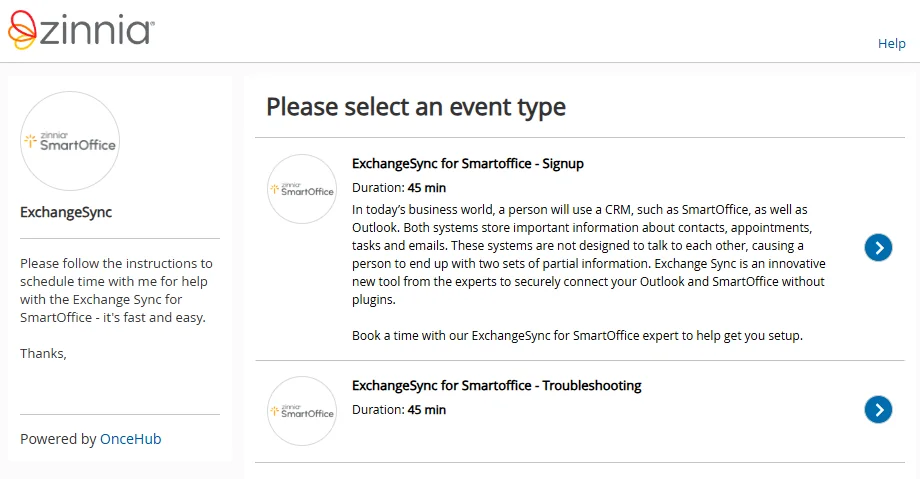
- Select ExchangeSync for SmartOffice - Signup.
- Follow the instructions to schedule a setup appointment with a representative.
Once your Exchange sync is set up:
- You can access your sync settings from the SmartOffice Pro side menu by selecting Integrations > Microsoft Exchange Sync Setup.
- If you encounter any sync issues, you can return to the portal and select the ExchangeSync for SmartOffice - Troubleshooting option to schedule a session with a representative.
SmartOffice Sync for Microsoft Exchange
Video not available: SmartOffice Sync with Microsoft Exchange
This solution is designed primarily for U.S. enterprise customers. These customers should contact their SmartOffice account managers to discuss the setup process.
For technical information about the enterprise sync solution, see the SmartOffice Sync for Microsoft Exchange Enterprise Implementation Guide.